
Sight Shift
Sight Shift is a small web app with one rule: close your eyes and the video plays, open them and it pauses. It watches you through the webcam, entirely in the browser.
Sight Shift is an experimental web application that uses real-time facial landmark detection to monitor eye states through the user’s webcam. By leveraging MediaPipe Face Landmarker, the app detects when the user’s eyes are closed and automatically triggers a user-uploaded video. The project explores computer vision in the browser, combining React, real-time processing, and interactive media control to create a unique hands-free experience.
How it knows your eyes are closed
The page loads MediaPipe's Face Landmarker in the browser, with its WebAssembly runtime from a CDN and the model file from Google's storage, running on the GPU for a single face. Once the model is ready it asks for the front camera at 640 by 480, with no audio. For every frame the model returns 478 landmarks across the face, and Sight Shift uses six around each eye: the two corners and two points each on the upper and lower lid.
From those it computes the eye aspect ratio, a standard measure of how open an eye is. It adds the two vertical distances between lid points, divides by twice the horizontal distance between the corners, and averages the result for both eyes. An open eye gives a clearly higher ratio than a closed one, and anything below 0.20 counts as closed. The eyes must stay below that line for half a second before the video starts, so an ordinary blink does nothing, and the video pauses the moment they open again. If no face is found the timer resets and the badge says "No face detected".
The sound
The file you choose, audio or video, never leaves your machine: it is read from disk through an object URL and played in a hidden video element. Its sound runs through the Web Audio API, from the media source through a gain node and an analyser to the speakers. The volume slider is really a gain control that goes from 0 to 1000 percent, because a quiet recording sometimes needs boosting, and a warning appears above 300 percent to protect your hearing. The level meter under the slider reads the analyser, using a small FFT with smoothing, and writes the bar's width straight into the page instead of re-rendering React on every frame. Browsers suspend audio contexts that have not had a user gesture, so the app resumes the context when you touch the slider or pick a file, and again when playback starts.
Keeping it running in the background
Browsers throttle animation frames to about one per second when a tab is hidden or a window is minimised, which would stop the detection just when someone has put the window away and closed their eyes. The detection loop therefore runs on a timer inside a Web Worker, which is not throttled. The worker is created from an inline Blob so no extra file is needed on the host, and it only sends a tick about every 33 milliseconds, around 30 times a second. The model and the page updates stay on the main thread, and duplicate frames are skipped because MediaPipe needs strictly increasing timestamps.
How it is built
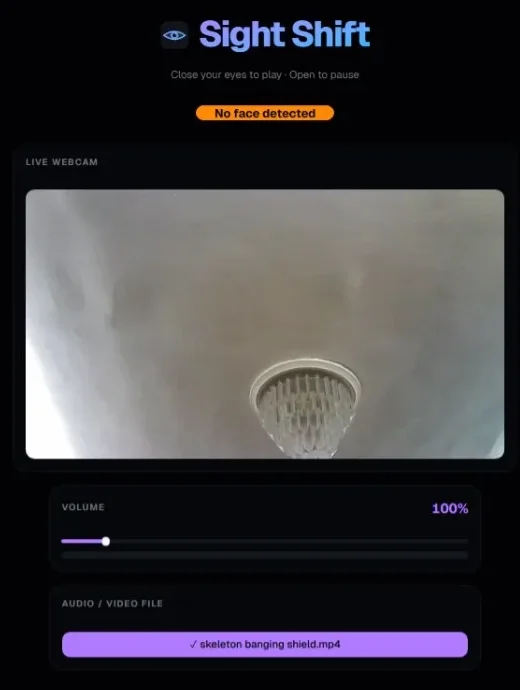
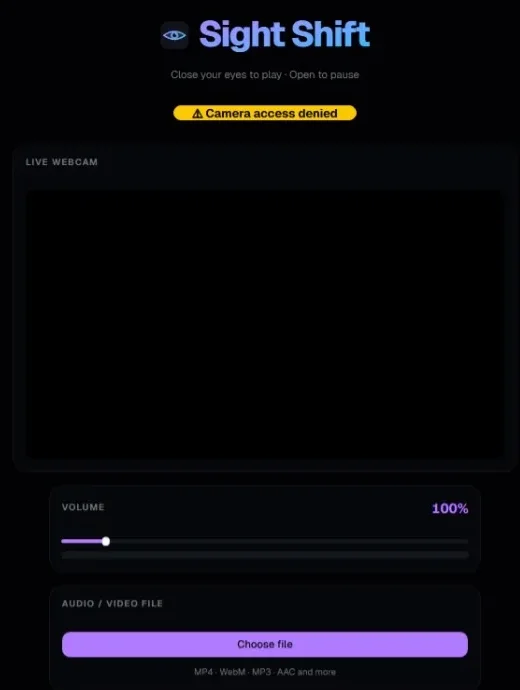
It is a single-page app in React 19 and TypeScript, built with Vite 8 and styled with Tailwind 4 and shadcn/ui components. There is no backend. It is deployed on Vercel as static files with a rewrite to index.html, and the only network requests are the downloads of the model runtime and the model itself. Camera frames are processed in the browser and are not sent anywhere. A coloured badge shows the current state: green for eyes open, red for closed, orange when no face is found, and yellow while the model loads or the camera is unavailable.
Known gaps
The 0.20 threshold is a fixed constant rather than something that adapts to the person, and the app logs every frame's ratio to the console, which is useful for tuning but not meant to stay. The model and runtime load from CDNs, so a first visit needs a connection. There are no tests, and a leftover Vite starter component sits unused next to the real app file.